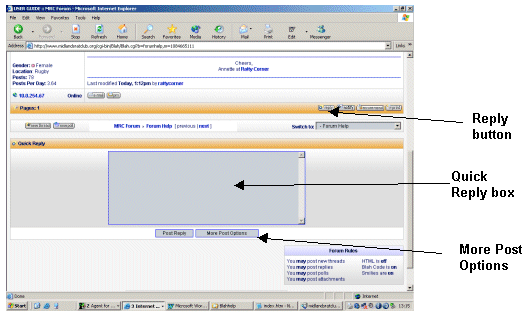
To reply to a message you need to be on the page showing the text of the original message and any replies.
Go right down to the bottom of the page and you'll find two orange stripes across the page.
Below the bottom orange stripe is a quick reply box that you can just type into and then send by clicking 'Post Reply'.
If you want to add smilies and fancy things like that click on the 'More Post Options' button next to 'Post Reply', which will take you to a reply page where you can add smilies and attachments. The small 'Reply button will take you to the same place.
To start a new subject you need to be on a board index page such as the 'Just Rats' board with all of the message titles listed down the page.
From there you can click on the 'New Thread' button on the middle or bottom orange stripe.